Cook what you have first.
FoodAureo keeps your pantry, matched recipes and shopping list working together—so tonight’s meal can start with what is already at home.
Designed for iPhone · Works without a FoodAureo account

Pantry data stays on your device
Good food is easy to overlook.
A crowded cupboard, one missing ingredient and a busy evening can turn another shop into the default. FoodAureo helps you notice what you own, choose a recipe around it and keep the next shop focused.
From pantry to plate—and back again.
Add your pantry
Keep a simple list of the ingredients already in your kitchen, including the staples you always have.
Notice what to use
See planning estimates that help bring ingredients needing attention to the top of your list.
Find matched recipes
Browse recipes by how well they match your pantry, with useful filters when you need them.
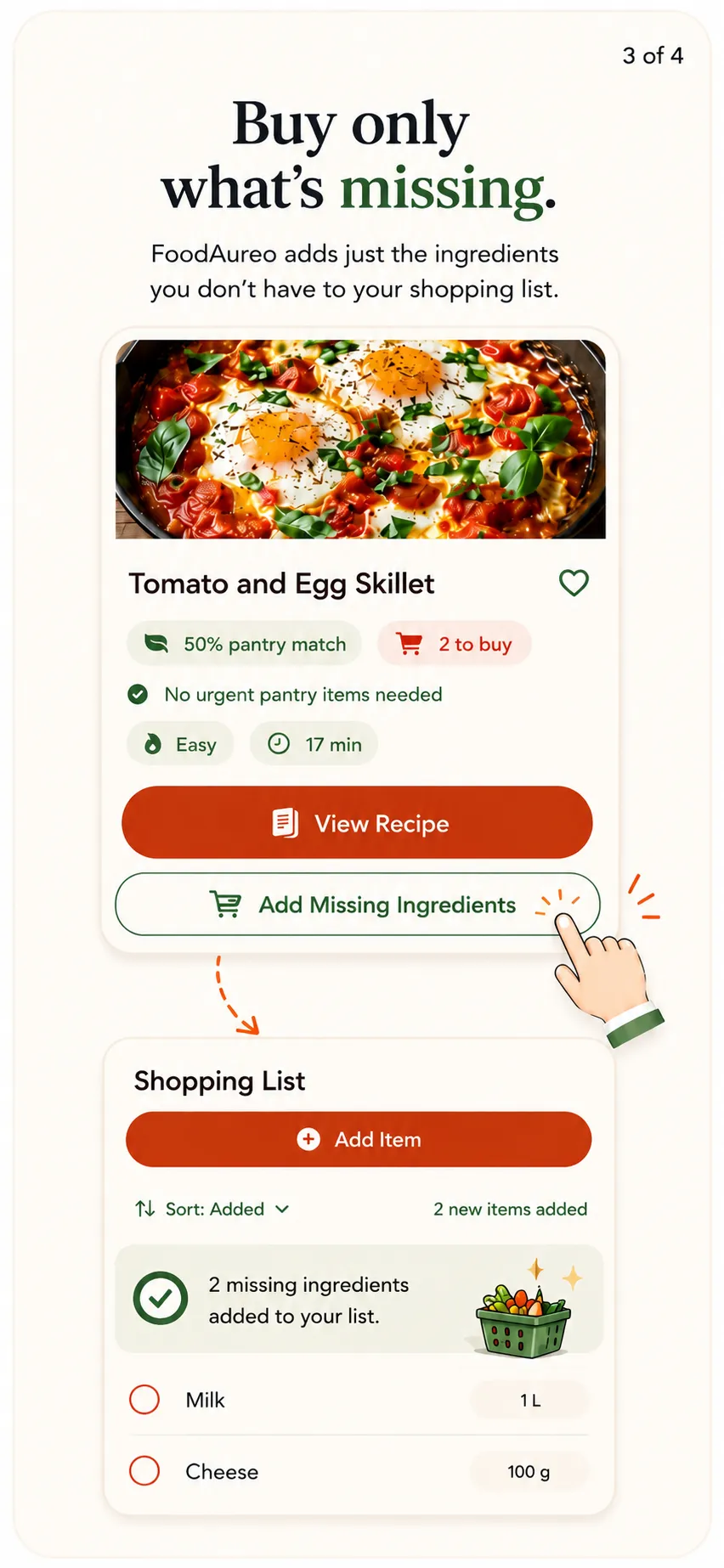
Buy only what is missing
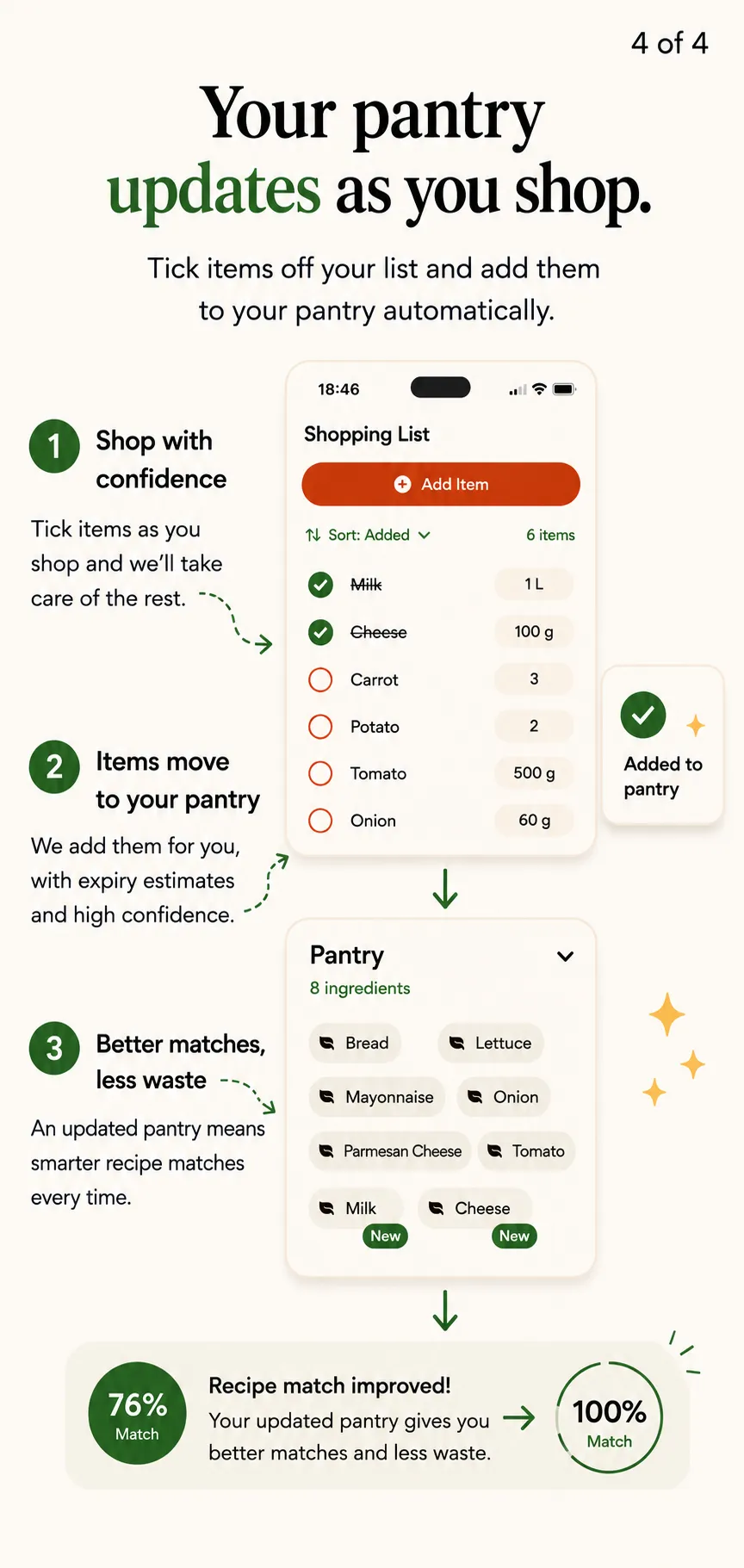
Send missing recipe ingredients to your shopping list, then return purchases to your pantry.
A gentle nudge, not another dashboard.
FoodAureo keeps each step clear: understand what is being missed, shop for the gaps and update your pantry when you get home.
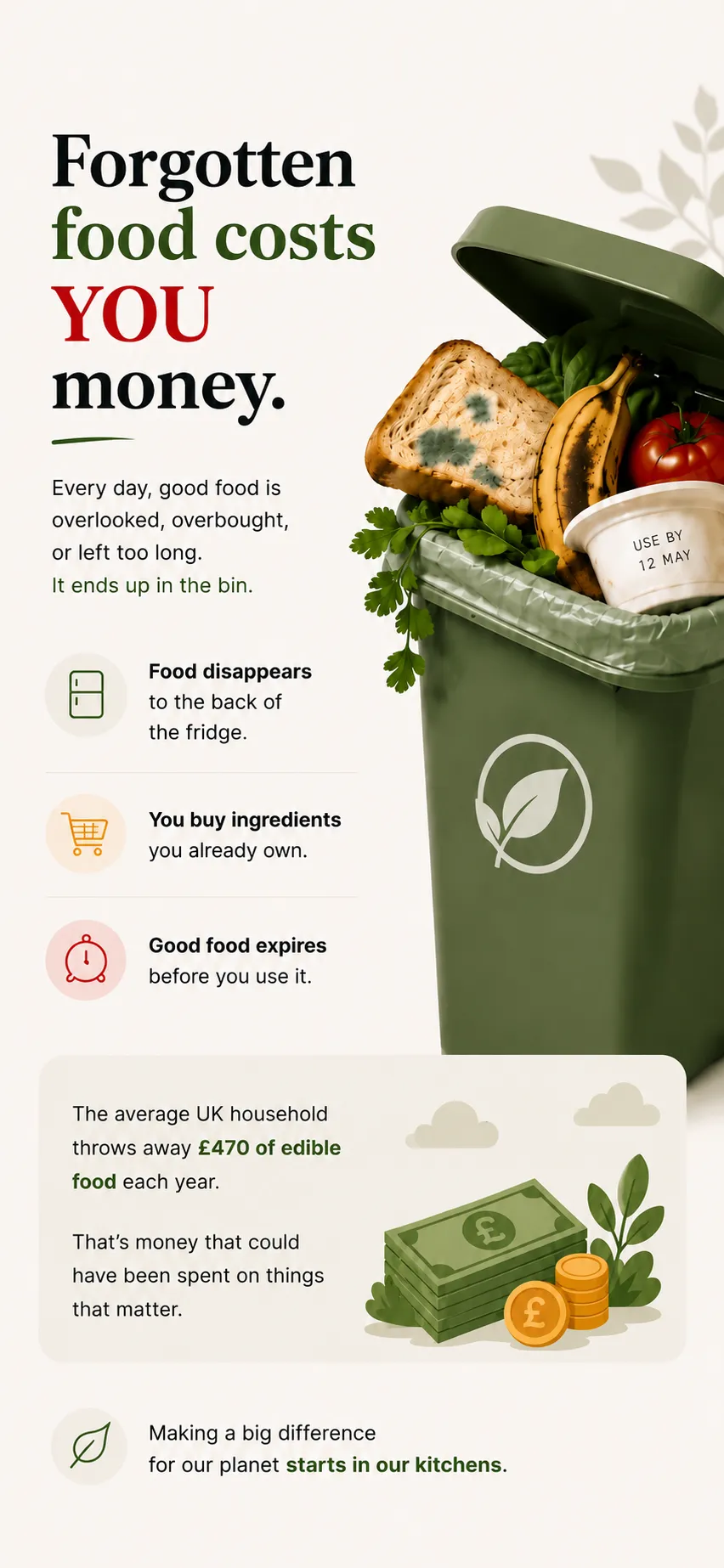
Your kitchen data stays with you.
The current FoodAureo build stores your pantry, recipes, shopping list and preferences on your iPhone. There is no FoodAureo account and no FoodAureo server upload. If you export pantry data, iOS lets you choose where it goes.
Read the plain-language Privacy PolicyBefore you open the fridge.
Does FoodAureo decide whether food is safe?
No. Expiry indicators are planning estimates and do not guarantee food safety. Always inspect ingredients, check packaging and follow authoritative food-safety guidance.
Does it need an account or internet connection?
No FoodAureo account is required, and the core app is designed to work offline. Optional voice entry uses Apple’s speech-recognition service and may depend on Apple’s availability and processing.
Can I add missing recipe ingredients to a shopping list?
Yes. FoodAureo can add ingredients you do not already own, while avoiding duplicate list entries. Purchased items can then be returned to the pantry.
Does FoodAureo give dietary or medical advice?
No. FoodAureo is for pantry planning and food-waste reduction. It does not provide medical, dietary or food-safety advice.